

Tabox 4.2: Shared Folders, Tabox AI, and Tabox Pro

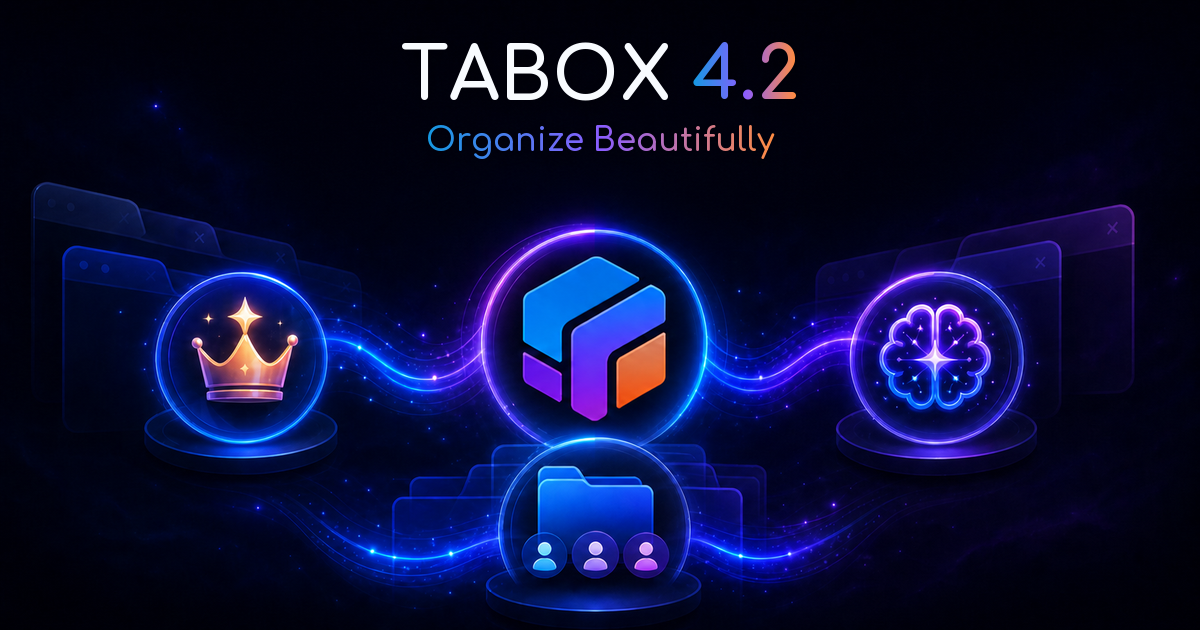
Tabox 4.2 is here, and it's the biggest release in Tabox's history. This update brings real-time collaboration with shared folders, a full suite of AI organization tools, and the launch of Tabox Pro, our first paid plan.
Before we get into the details, two things we want to say up front, because they matter more than any feature list:
Everything that was free stays free. We did not move a single existing feature behind a paywall. The tab manager you've been using (saving tabs, restoring sessions, tab groups, folders, sync, import/export) is free today and stays free.
Your privacy model hasn't changed. Core Tabox still works 100% on your device. The new sharing and AI features are opt-in, and when you do use them, we send only the minimum data the feature needs to work. Nothing more.
Here's what's new.
Shared folders: stop pasting lists of links
Sharing tabs used to mean exporting a collection file or pasting URLs into chat. Tabox 4.2 replaces that with shared folders: living spaces where your team, classmates, or family see the same collections, updated in real time.
Invite by link. Share a folder with a simple link; anyone who joins gets the full set of collections in one click.
See who changed what. Member photos and an activity feed show who added, updated, or removed collections. No more "which version is current?"
Discuss in place. Built-in comments keep the conversation next to the tabs, not lost in another app.
Get notified. Optional notifications tell you when a shared collection changes or someone invites you to a folder.
It's perfect for onboarding a new teammate, sharing sources with co-authors, planning a trip together, or handing a client every relevant page in one link. If you've ever tried to share Chrome tab groups with someone else, you know why this exists.
Tabox AI: your tab library, organized for you
Saving tabs is easy. Keeping hundreds of saved tabs organized is the tedious part, so Tabox 4.2 does it for you. Tabox AI is part of Tabox Pro, and it includes:
Smart Tab Grouping: automatically group related open tabs into meaningful, named tab groups
Duplicate sweep: find and clean duplicate tabs across your collections, with a preview before anything changes
Auto-rename collections: turn "Window - 23 tabs" into clear, descriptive names
Auto-arrange into folders: sort a messy list of collections into a sensible folder structure
Split a collection: break an oversized collection into focused, smaller ones
AI name suggestions: instant title ideas the moment you save
Two design rules apply to every AI action. First, you always see a preview and can always undo. The AI suggests, you decide. Second, AI tasks run in the background, so you can close the popup and Tabox keeps working.
Introducing Tabox Pro
Tabox has been free for years, and running it now involves real infrastructure: servers that power collaboration and AI. Tabox Pro is how we keep that sustainable without ads, without selling data, and without paywalling anything you already had.
What Pro unlocks:
Tabox AI: the full AI toolkit is a Pro feature, including Smart Tab Grouping, duplicate sweeps, auto-renaming, and auto-organization
Advanced collaboration: higher limits for shared folders and members, for teams that live in Tabox
Priority support: your questions go to the front of the queue
Plans are simple: $5.99 a month or $59.99 a year, with a fair refund policy. Upgrade directly from the extension. Just open Tabox and click Upgrade.
And what Pro doesn't change: if you never subscribe, Tabox remains the full-featured tab manager it's always been. Saving, restoring, tab groups, folders, search, the command palette, full-page view, Google Drive sync, import/export: all free. If a Pro subscription ends, you keep every free feature and all of your data.
Privacy: what changes, and what never will
Tabox was built local-first, and 4.2 doesn't change that. Your collections live in your browser, and if you enable sync, in a hidden app folder in your own Google Drive, never on our servers. No analytics, no ads, no telemetry, no selling data. That's the deal, and it stays the deal.
The new features are different in one honest, unavoidable way: collaboration and AI can't run entirely on your device. Here's exactly what that means:
Shared folders store the collections you choose to share on our servers; that's what makes them visible to other members. Only folder members can see them, and deleting a folder deletes its server-side data.
Tabox AI sends only the content needed for the action you trigger (typically tab titles and URLs) to our server for processing. We don't store your AI prompts or the AI's responses. Nothing is ever sent automatically or in the background without an action you initiated.
Everything is opt-in. These features do nothing until you sign in and use them. Don't want them? Don't enable them. Core Tabox keeps working 100% on-device, no account needed.
We share what is absolutely needed for the feature to work, and not a byte more. The full details are in our updated privacy policy.
How to get Tabox 4.2
Existing users: the update rolls out automatically via the Chrome Web Store and Microsoft Edge Add-ons. New to Tabox? Install it free, save your first collection, and breathe. Those 40 open tabs will still be there when you need them.
Frequently asked questions
Is Tabox still free?
Yes. Every feature that existed before 4.2 remains free, including the new shared folders. Pro adds Tabox AI, higher collaboration limits, and priority support.
Did any existing features move behind the paywall?
No. Not one. We only charge for new capabilities that cost us money to run.
Do I need an account now?
No. Saving, restoring, and organizing tabs works with no account at all. Sign in with Google only if you want sync, sharing, or AI.
Does Tabox send my browsing data to your servers?
Not unless you ask it to. Core features run entirely on your device. Shared folders upload only the collections you place in them; AI actions send only the tab titles and URLs involved in that action, and we don't store prompts or responses.
What happens if I cancel Pro?
You keep all free features and all of your data. Cancellation takes effect at the end of your billing period, and you keep Pro access until then.
Questions or feedback about 4.2? Reach us at info@tabox.co. We read everything.
Tame your tabs with Tabox. Free forever.


Keep reading
- Tabox 4.2.3: Just Tell Tabox What You Want: Tabox 4.2.3 introduces the Tabox AI hub: one box where you ask for what you need, plus the new Task Planner and a...
- Tabox for Firefox: A New Firefox Tab Manager: Tabox is now available for Firefox. Save tabs and tab groups as organized collections, reopen them later, and sync your...
- Tabox v3.5.9 is out: Greeting friends! It has been a very long time since our last version update... But, as they say, good things come to...