

Tabox vs Session Buddy: Comparison and Alternative (2026)
If you are comparing Tabox vs Session Buddy, you want a reliable way to save your open tabs, recover them after a crash, and reopen full sessions whenever you need them. Both are well established free tools, and both keep your data local and private, but they differ in organization, tab group support, and syncing. This comparison walks through how Tabox and Session Buddy handle session management, organization, tab groups, syncing, and pricing, so you can pick the right fit.
Looking at more than two tools? You can also compare every Chrome tab manager side by side, including Session Buddy and the other popular alternatives.
Tabox vs Session Buddy at a Glance
| Feature | Tabox | Session Buddy |
|---|---|---|
| Price | Free for core features, no account required; Pro $4.99 per month billed annually or $5.99 monthly, 7-day free trial | Completely free, no paid tier, no account |
| Tab groups | Preserves Chrome tab groups with their names and colors | Saves windows and tabs by URL and title, groups not preserved |
| Crash recovery | Saved collections stay restorable at any time | Automatic crash recovery of recent sessions, a standout strength |
| Sync | Optional, through your own Google Drive | No device sync today, manual export and import |
| Privacy | Local by default, no account required | Local, no account required |
| Browsers | Chrome, Firefox, and Edge | Chrome, see the Session Buddy site for other browsers |
What Tabox costs
Tabox is free for its core features, with no account required. Tabox Pro costs $4.99 per month billed annually ($59.99 per year) or $5.99 month to month, and every plan starts with a 7-day free trial. Tabox is rated 4.2 / 5 on the Chrome Web Store and used by more than 30,000 people.


What Tabox and Session Buddy Do
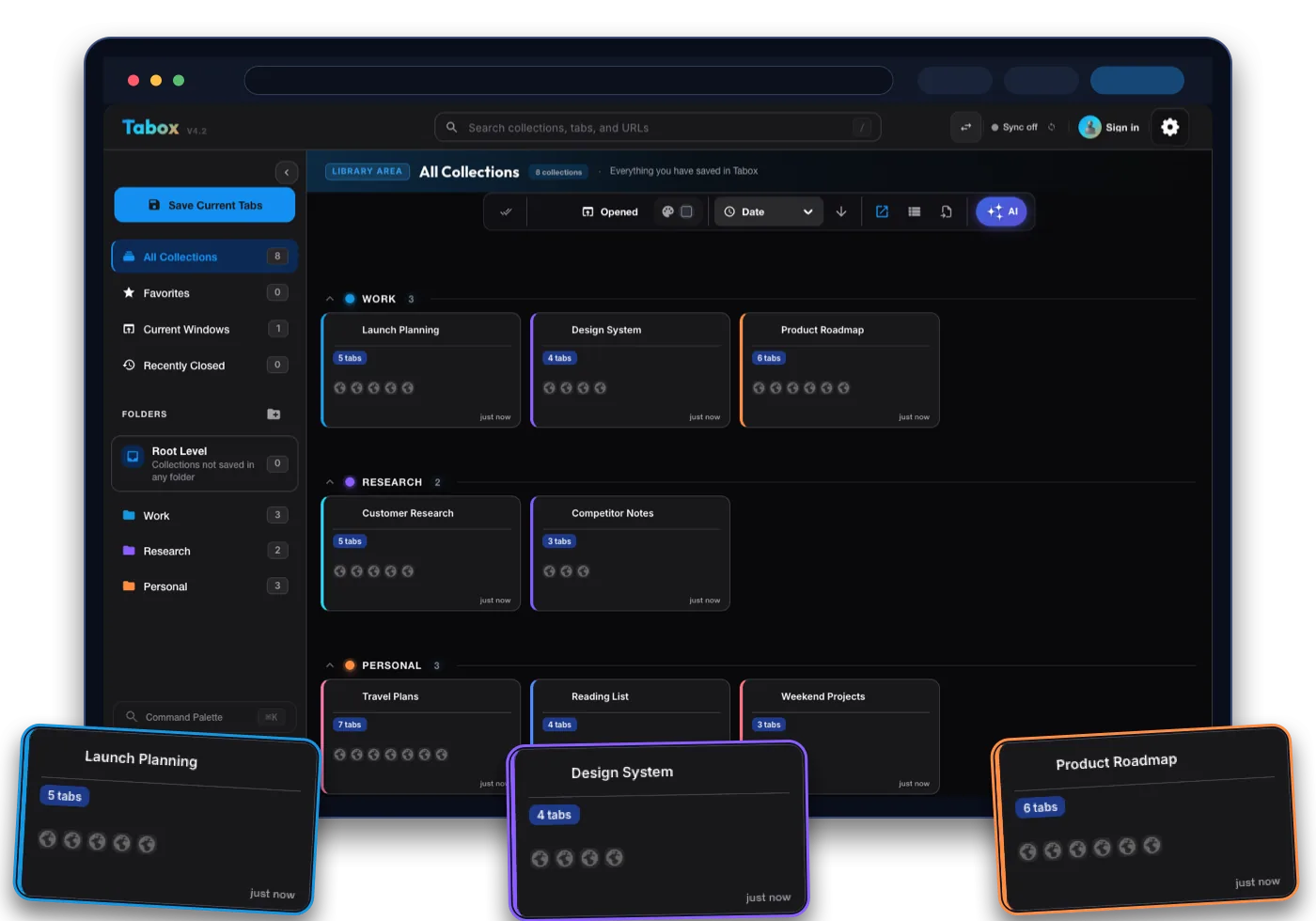
Tabox is a lightweight Chrome, Firefox, and Edge extension for saving your open tabs and tab groups into named collections. You capture a window of tabs in one click, organize collections into folders, and reopen them whenever you need them. It is built for structured saving, fast restoring, and keeping your tab groups intact.
Session Buddy is a long running session manager focused on saving and recovering whole browser sessions. You save your open windows and tabs as named sessions, browse them in a tree view, and restore them later. It is especially known for crash recovery, so your tabs are not lost if the browser closes unexpectedly.
The core difference is emphasis. Session Buddy is a dependable session saver and crash safety net. Tabox is a more complete organizer that also preserves native tab groups and can sync across devices. If your main worry is never losing a session, Session Buddy is solid. If you want structure and portability on top of that, Tabox goes further.
Session and Tab Management
This is where the Tabox vs Session Buddy comparison gets practical.
With Tabox, you save an entire window or specific tab groups into a named collection, and it preserves your Chrome tab groups, including their names and colors. Reopening a collection restores everything exactly as you left it, which matters if you use tab groups to structure your work.
Session Buddy saves windows and tabs as sessions by their URLs and titles and is excellent at restoring them and recovering after a crash. Its session model is built around windows and tabs rather than native Chrome tab groups, so group structure is not preserved the same way. For people who rely on tab groups, Tabox keeps that structure intact.
Organization and Folders
Both tools keep saved tabs tidy, but they organize differently.
Tabox uses collections and folders. You can nest collections into folders, color code them, search across everything, and export or import your data. The hierarchy stays clean from a handful of sessions to hundreds.
Session Buddy uses a tree view that lays out windows and tabs in a detailed, logical structure, with search to find saved pages quickly. It is powerful for scanning and managing a lot of saved sessions in one screen. The difference is that Tabox adds folder based grouping and color coding for longer term organization, while Session Buddy centers on the session tree.
Syncing Across Devices
Cross device access is the clearest gap between the two.
Tabox offers optional sync through your own Google Drive, so your collections are available on other devices while the data stays in your account. Sync is opt in, and you control where the data lives.
Session Buddy stores data locally and does not sync across devices today. An opt in cloud option has been described as a future addition, but at the moment moving sessions between machines relies on manual export and import. If you work across more than one computer, Tabox handles that now.
Privacy and Data Ownership
Privacy is a strength for both tools, which is worth stating plainly.
Session Buddy keeps everything local and requires no account or sign up, which is great for anyone wary of sending browsing data to a third party. That install and go model is one of its best qualities.
Tabox is built the same way. It stores your data locally by default and requires no account. The difference is that Tabox also offers an ownership based sync option through your own Google Drive, so you can get cross device access without handing your data to a vendor server.
Pricing
Both tools are free, so price is not the deciding factor.
Session Buddy is completely free with no paid tier and no account. Tabox is also free for its core tab and collection features, with no account required and no cap on how many tabs or collections you can save. Either way you are not paying, so the choice comes down to features like tab group support and syncing rather than cost.
Which One Should You Choose
Choose Session Buddy if your priority is a proven, free crash recovery and session saving tool with a detailed tree view, and you are comfortable keeping everything local on a single machine.
Choose Tabox if you want the same free and private foundation plus native Chrome tab group support, folders and color coded collections, and optional cross device sync through your own Google Drive. For people who want to organize and carry their sessions across devices rather than just save and recover them on one computer, Tabox is the more capable choice.
Moving from Session Buddy to Tabox
Tabox imports its own export files, and there is no direct Session Buddy importer. Switching is still quick because saving a window as a collection takes one click.
- Keep your Session Buddy data safe first. Use its export option to save your sessions as a local backup before you change anything.
- Install Tabox for free from the Chrome Web Store, Firefox Add-ons, or Edge Add-ons. No account is needed.
- Restore one Session Buddy session into a browser window, then click the Tabox icon and save that window as a named collection. Repeat per session, using folders to keep older sessions organized.
Tabox vs Session Buddy FAQ
Is Tabox a good Session Buddy alternative?
Yes. If you like Session Buddy being free and local but want native tab group support, folders and color coding, and cross device sync, Tabox offers that while keeping the same free and private approach.
Is Tabox free like Session Buddy?
Yes. Both are free. Session Buddy has no paid tier, and Tabox is free for its core tab and collection features with no account required and no saved tab cap.
Does Tabox keep my Chrome tab groups?
Yes. Tabox preserves tab groups, including their names and colors, when you save and restore collections. Session Buddy saves windows and tabs by URL and title rather than preserving native tab groups.
Does Tabox sync across devices like Session Buddy?
Tabox offers optional sync through your own Google Drive for cross device access. Session Buddy stores data locally and does not currently sync across devices, so moving sessions usually means manual export and import.
Does Tabox recover tabs after a crash?
Tabox lets you save collections so your sessions are preserved and restorable. Session Buddy is specifically known for automatic crash recovery of recent sessions, which is one of its standout strengths.