

Tabox vs OneTab: Comparison and Alternative (2026)
If you are comparing Tabox vs OneTab, you want a better way to deal with a crowded tab bar, save tabs for later, and get your browser back under control. Both are popular free tools, but they take very different approaches.
This comparison looks at how Tabox and OneTab handle tab and session management, organization, syncing, privacy, and pricing, so you can choose the one that fits how you work.
Looking at more than two tools? You can also compare every Chrome tab manager side by side, including OneTab and the other popular alternatives.
Tabox vs OneTab at a Glance
| Feature | Tabox | OneTab |
|---|---|---|
| Price | Free for core features, no account required; Pro $4.99 per month billed annually or $5.99 monthly, 7-day free trial | Completely free, no paid tier, no account |
| Tab groups | Preserves Chrome tab groups with their names and colors | Collapses tabs into a flat list, native groups not restored |
| Selective saving | Save a whole window or specific tab groups | Sweeps all open tabs into one list at once |
| Sync | Optional, through your own Google Drive | No built in device sync, manual export and import |
| Privacy | Local by default, no account required | Local, no account required |
| Browsers | Chrome, Firefox, and Edge | Chrome, see the OneTab site for other browsers |
What Tabox costs
Tabox is free for its core features, with no account required. Tabox Pro costs $4.99 per month billed annually ($59.99 per year) or $5.99 month to month, and every plan starts with a 7-day free trial. Tabox is rated 4.2 / 5 on the Chrome Web Store and used by more than 30,000 people.


What Tabox and OneTab Do
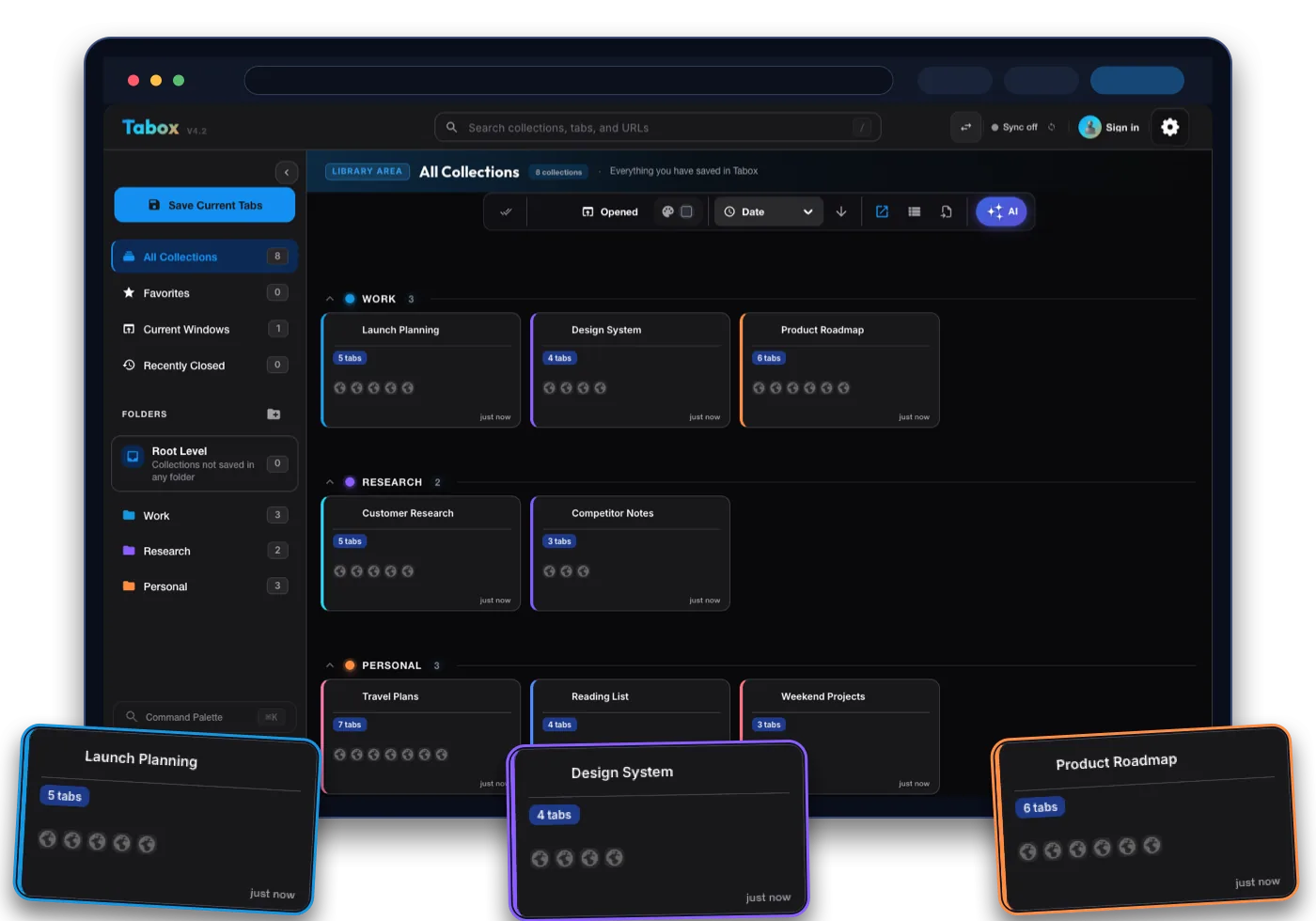
Tabox is a lightweight Chrome, Firefox, and Edge extension for saving your open tabs and tab groups into named collections. You capture a window of tabs in one click, organize collections into folders, and reopen them whenever you need them. It is built for structured saving and quick restoring.
OneTab is a minimalist memory saver. One click collapses all your open tabs into a single list on one page, which frees up memory immediately because nothing in the list stays loaded. You then restore tabs one at a time, by group, or all at once. Its whole philosophy is to do one thing simply.
The core difference is purpose. OneTab is the fastest way to clear a crowded tab bar and reclaim memory. Tabox is a more complete organizer for people who want to keep, label, and structure many sessions over time. Many users actually appreciate both jobs, but if you want lasting organization, Tabox goes further.
Tab and Session Management
This is where the Tabox vs OneTab difference is most obvious.
With Tabox, you choose what to save. You can capture an entire window or specific tab groups into a named collection, and it preserves your Chrome tab groups, including their names and colors. Reopening a collection brings everything back exactly as you left it.
OneTab takes an all or nothing approach by design. Clicking the icon sweeps every open tab into one list. That is great for an instant cleanup, but you give up selective saving and you do not keep native Chrome tab groups intact. If you rely on tab groups or want to save just part of your session, Tabox gives you more control.
Organization and Folders
Both tools keep tabs out of your way, but they organize very differently.
Tabox uses collections and folders. You can nest collections into folders, color code them, search across everything, and export or import your data. The structure stays clean whether you have a few saved sessions or hundreds.
OneTab keeps things flat. You get named lists and the ability to star or lock them, plus drag to reorder. It is quick and simple, but there are no folders, no nesting, and limited structure once your list of lists grows long. For heavy savers who want a real hierarchy, Tabox scales better.
Syncing Across Devices
Cross device access is a clear gap between the two.
Tabox offers optional sync through your own Google Drive, so your collections are available on other devices while the data stays in your account. Sync is opt in, and you control where the data lives.
OneTab does not include built in cloud sync across devices in its core experience, and users who try to move lists between machines often rely on manual export and import. If you work across more than one computer, Tabox handles that more smoothly.
Privacy and Data Ownership
Privacy is a strength for both tools, which is worth saying plainly.
OneTab is privacy friendly. It keeps your data local and does not transmit your tab URLs to its developers, and it requires no account. That is a genuinely good model.
Tabox is built the same way. It stores your data locally by default and only syncs to Google Drive if you choose to, with no required account. The difference is that Tabox also gives you an ownership based sync option through your own Drive, so you get cross device access without handing your data to a third party server.
Pricing
Both tools are free, so price is not the deciding factor here.
OneTab is completely free with no paid tier, no account, and no upsells. Tabox is also free for its core tab and collection features, with no account required and no cap on how many tabs or collections you can save. You can choose either without opening your wallet, which means the decision comes down to how much structure and which features you need, not cost.
Which One Should You Choose
Choose OneTab if you want the simplest possible way to clear a crowded tab bar, reclaim memory instantly, and keep a no frills list of saved tabs with zero setup.
Choose Tabox if you want the same free and private foundation plus real organization, native Chrome tab group support, folders and color coding, selective saving, and optional cross device sync through your own Google Drive. For people who want to keep and manage many sessions over time rather than just collapse tabs in the moment, Tabox is the more capable choice.
Moving from OneTab to Tabox
Tabox imports its own export files, and there is no direct OneTab importer. Switching is still quick because saving a window as a collection takes one click.
- Keep your OneTab data where it is. Your saved list stays in OneTab, and you can use its export option to copy the URLs as a plain text backup first.
- Install Tabox for free from the Chrome Web Store, Firefox Add-ons, or Edge Add-ons. No account is needed.
- Restore a group of tabs from your OneTab list into a window, then click the Tabox icon and save that window as a named collection. Repeat per group until everything you care about lives in Tabox.
Tabox vs OneTab FAQ
Is Tabox a good OneTab alternative?
Yes. If you like OneTab being free and private but want folders, collections, native tab group support, and device sync, Tabox offers that while keeping the same free and local first approach.
Is Tabox free like OneTab?
Yes. Both are free. OneTab has no paid tier, and Tabox is free for its core tab and collection features with no account required and no saved tab cap.
Does Tabox keep my Chrome tab groups?
Yes. Tabox preserves tab groups, including their names and colors, when you save and restore collections. OneTab collapses tabs into a flat list and does not restore native tab groups.
Can I save only some tabs instead of all of them?
Yes. Tabox lets you save specific windows or tab groups into a collection. OneTab is designed to sweep all open tabs into one list at once.
Does Tabox sync across devices like OneTab?
Tabox offers optional sync through your own Google Drive for cross device access. OneTab does not include built in device sync in its core experience, so moving lists between computers usually means manual export and import.