

Tabox vs Workona: Comparison and Alternative (2026)
If you are comparing Tabox vs Workona, you are likely looking for a better way to manage browser tabs, save open sessions, and keep your work organized across projects.
Both tools solve real tab overload problems, but they take different approaches.
This comparison breaks down how Tabox and Workona handle tab management, organization, syncing, privacy, and pricing, so you can decide which one fits the way you actually work.
Looking at more than two tools? You can also compare every Chrome tab manager side by side, including Workona and the other popular alternatives.
Tabox vs Workona at a Glance
| Feature | Tabox | Workona |
|---|---|---|
| Price | Free for core features, no account required; Pro $4.99 per month billed annually or $5.99 monthly, 7-day free trial | Free plan capped at 5 spaces, Pro about 7 to 9 dollars monthly |
| Tab groups | Preserves Chrome tab groups with their names and colors | Organizes tabs inside its own spaces rather than native groups |
| Sync | Optional, through your own Google Drive | Automatic, through Workona cloud accounts |
| Collaboration | Share by exporting and importing collection files | Team collaboration on paid per user plans |
| Privacy | Local by default, no account required | Account required, spaces stored in Workona cloud |
| Browsers | Chrome, Firefox, and Edge | Chrome, see the Workona site for other browsers |
What Tabox costs
Tabox is free for its core features, with no account required. Tabox Pro costs $4.99 per month billed annually ($59.99 per year) or $5.99 month to month, and every plan starts with a 7-day free trial. Tabox is rated 4.2 / 5 on the Chrome Web Store and used by more than 30,000 people.


What Tabox and Workona Do
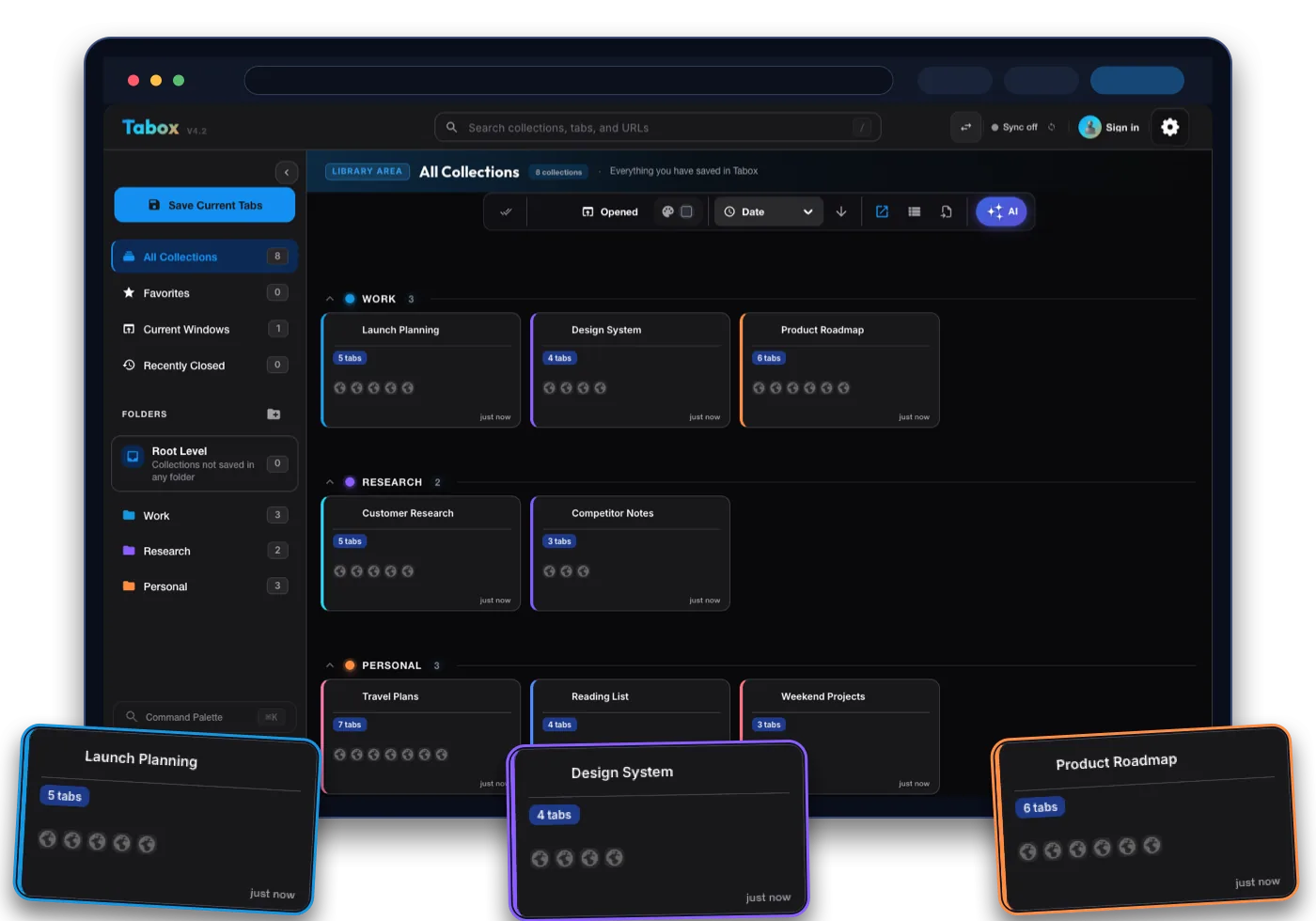
Tabox is a lightweight Chrome, Firefox, and Edge extension for saving your open tabs and tab groups into named collections. You capture a window full of tabs in one click, organize collections into folders, and reopen them whenever you need them. It is built to be fast, simple, and out of your way.
Workona is a broader workspace manager. It organizes tabs inside dedicated workspaces called spaces, hides tabs you are not using, syncs them to the cloud, and adds features like saved resources, integrations, and automatic cloud backups. It aims to be a full project hub rather than just a tab tool.
The core difference is scope. Tabox focuses on doing tab and session management really well without asking you to change your workflow. Workona tries to become the central place where your projects live, which is powerful for some teams but heavier for everyday use.
Tab and Session Management
Saving and restoring sessions is where most people feel the difference between Tabox vs Workona.
With Tabox, you save an entire window or a set of tab groups into a collection in one action, and the extension preserves your Chrome tab groups, including names and colors. Reopening a collection brings everything back exactly as you left it. Because it runs as a Manifest V3 extension, it stays responsive even with a large number of saved tabs.
Workona handles sessions inside spaces and does a solid job keeping tabs grouped by project, with hourly cloud backups so you can restore recent tabs. The tradeoff is that tabs generally live within the Workona system, so you are working inside its structure rather than alongside your normal browser behavior. For people who want native tab group support without adopting a new environment, Tabox feels more direct.
Organization and Folders
Both tools let you group related tabs, but they organize at different levels.
Tabox uses collections and folders. You can nest collections into folders, color-code them, search across everything, and export or import your data whenever you want. It is a clean hierarchy that scales from a handful of saved sessions to hundreds without getting confusing.
Workona organizes around spaces, with sections inside each space for tabs, resources, and links. This is useful if you want a project hub and tabs in one place. If you mostly want to organize tabs and sessions without the extra layers, Tabox keeps things simpler.
Syncing Across Devices
Cross device access matters if you switch between machines.
Tabox offers optional sync through your own Google Drive. Your collections stay in your Drive account, which means you control where the data lives and you are not dependent on a separate hosted account to retrieve your tabs. Sync is opt in, so you can also run Tabox fully local if you prefer.
Workona syncs through its own cloud accounts, which makes setup easy and keeps everything available across devices automatically. The difference is ownership. Workona manages the storage for you, while Tabox lets your data sit in storage you already own.
Privacy and Data Ownership
Privacy is one of the clearer distinctions in the Tabox vs Workona comparison.
Tabox stores your data locally by default and only syncs to Google Drive if you turn that on. There is no required account and your saved tabs are not held on a third party server unless you choose Drive sync. For users who care about keeping browsing data in their own hands, this is a meaningful advantage.
Workona requires an account and stores your spaces in its cloud so it can deliver sync, backups, and collaboration features. That is a reasonable model for team workflows, but it does mean your data lives on their infrastructure.
Pricing
Tabox is free to use for its core tab and collection features, with no account required to get started. That makes it an easy choice if you want strong tab management without a subscription.
Workona has a free plan that is capped at 5 spaces. To go beyond that you move to paid plans, with Pro running about 7 to 9 dollars per month depending on billing, and Team plans priced per user with a minimum seat count. If you need unlimited spaces, longer backup history, and team collaboration, you are looking at a recurring cost. For pure tab and session management, many users will not need to pay anything with Tabox.
Which One Should You Choose
Choose Workona if you want an all in one project workspace that combines tabs with resources, integrations, and team collaboration, and you are comfortable working inside its hosted environment and pricing.
Choose Tabox if you want fast, reliable tab and session management that respects native Chrome tab groups, keeps your data under your control, and stays free for everyday use. For most people who simply want to save tabs, organize collections, and get them back instantly without adopting a whole new system, Tabox is the more practical and lower friction choice.
Moving from Workona to Tabox
Tabox imports its own export files, and there is no direct Workona importer. Switching is still quick because saving a window as a collection takes one click.
- Keep your Workona account and spaces intact while you switch, so nothing is lost. Your tabs and saved resources stay available in Workona until you are done.
- Install Tabox for free from the Chrome Web Store, Firefox Add-ons, or Edge Add-ons. No account is needed.
- Open the tabs from one Workona space in a normal browser window, then click the Tabox icon and save that window as a named collection. Repeat per space, using folders to mirror your old structure.
Tabox vs Workona FAQ
Is Tabox a good Workona alternative?
Yes. If your main goal is saving tabs and sessions, organizing them into collections and folders, and reopening them quickly, Tabox covers that core need with less overhead and no required subscription.
Does Tabox sync across devices like Workona?
Tabox offers optional sync through your own Google Drive, so your collections are available on other devices while the data stays in your account. Workona syncs through its own cloud automatically.
Is Tabox free?
Tabox is free for its core tab and collection features and does not require an account to start. Workona has a free plan limited to 5 spaces, with paid Pro and Team plans for unlimited spaces and advanced or collaborative features.
Does Tabox keep my Chrome tab groups?
Yes. Tabox preserves tab groups, including their names and colors, when you save and restore collections.
Which is better for privacy, Tabox or Workona?
Tabox stores data locally by default and only syncs to Google Drive if you enable it, giving you more direct control over your browsing data. Workona stores your spaces in its own cloud.