

Introducing Tabox 4.0

A New Era of Speed, Clarity and Control
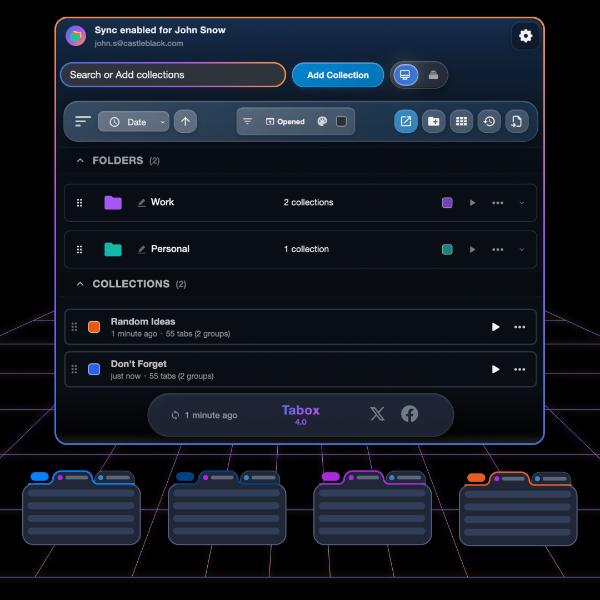
Today we are announcing Tabox 4.0, and it is easily the most ambitious update we’ve ever shipped.
This release brings a fresh visual identity, powerful organizational tools and major performance upgrades under the hood. Whether you're managing a handful of tabs or entire project workspaces, Tabox 4.0 is built to feel faster, clearer and more intuitive.
A Fresh Look with Prism
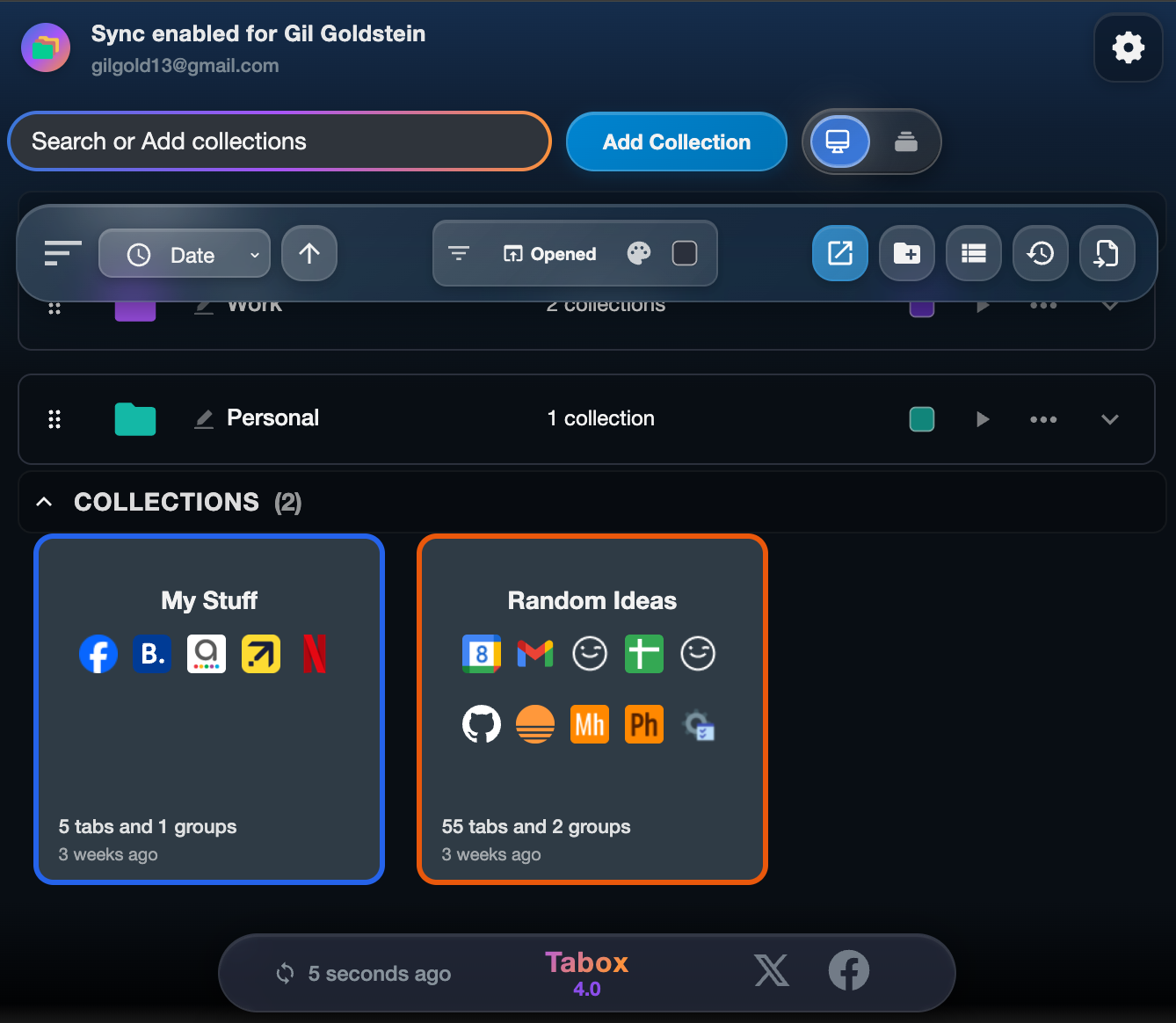
Tabox 4.0 debuts a brand new design language called Prism. The interface now features clean gradients, subtle glass elements and a brighter visual hierarchy that makes navigating your collections easier on the eyes. It’s modern without being distracting, and it creates a more polished experience throughout the extension.
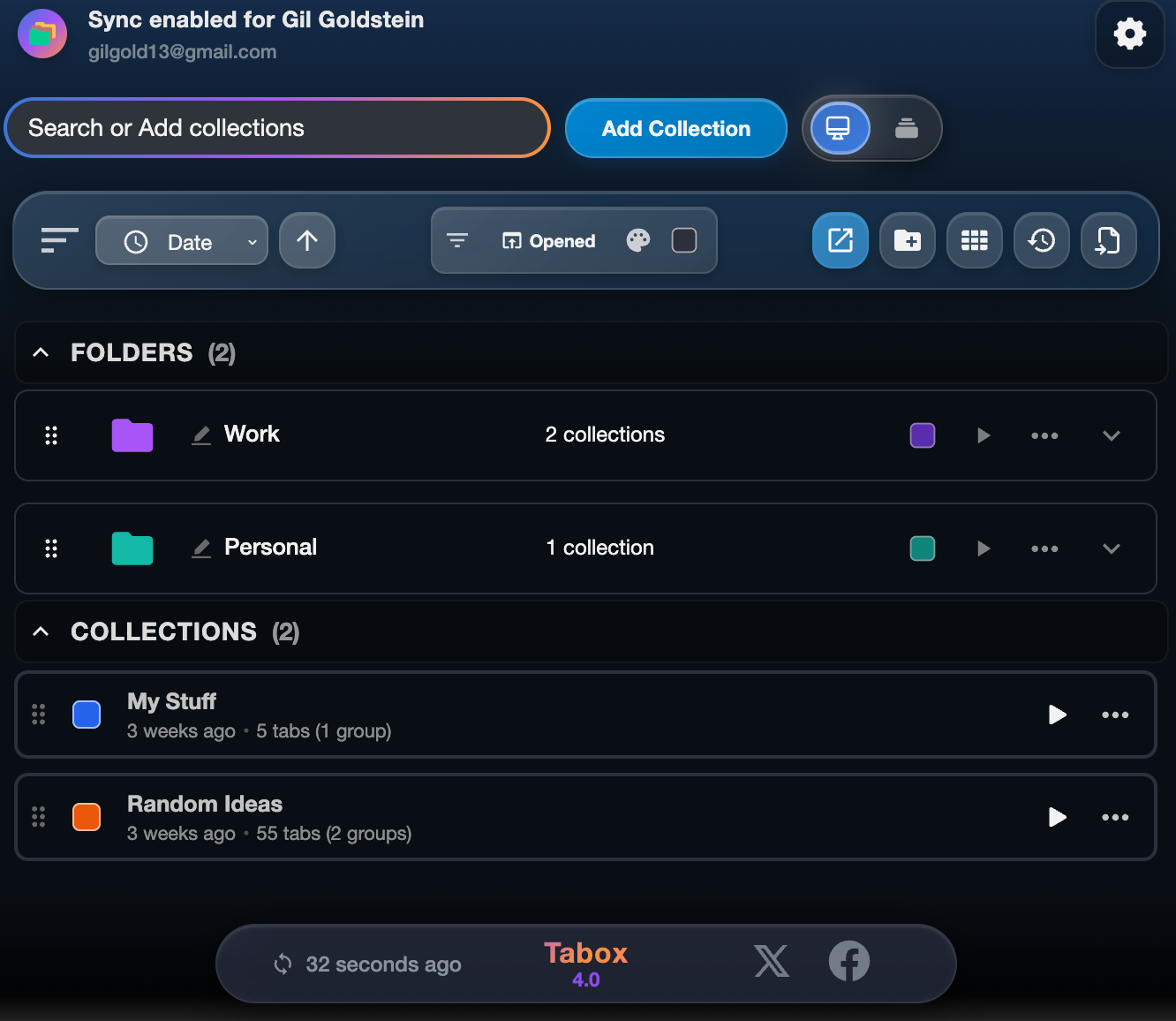
With "Prism" in mind, we also introduce a new logo for Tabox. It will replace the iconic "3 tabs" logo we have been using for the last 5 years.
Our new logo distills clarity and modernity into a single sculpted form. Its blue, purple and orange gradients create a sense of depth and gentle illumination, while the shape hints at both a box and a refined half-T. Every line is intentional, expressing simplicity, organization and the calm confidence at the heart of Tabox.

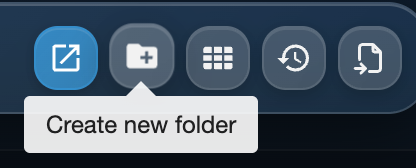
Folders for Better Organization
You can now group multiple collections into folders. This makes larger workspaces far easier to organize, especially if you switch between teams, clients or subjects throughout the day.
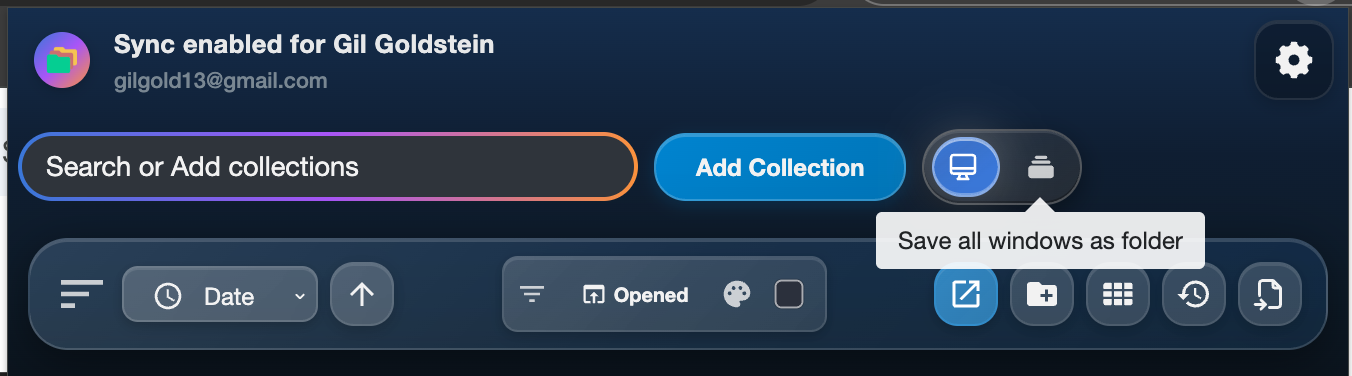
Save All Windows in One Click
With the help of folders, Tabox 4.0 lets you save all your open browser windows at once. Everything gets neatly stored inside a single folder, giving you a fast and tidy way to capture your entire workspace.
Unified Search Across Everything
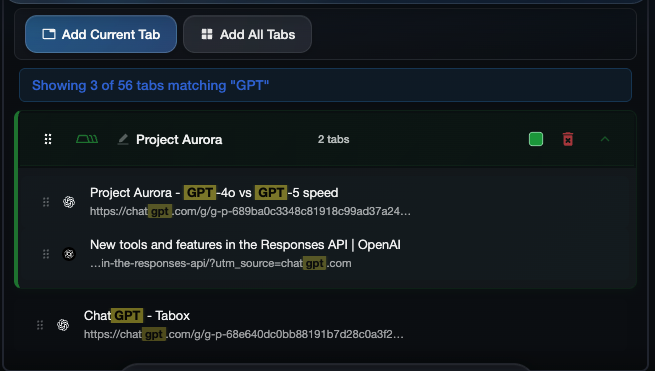
We’ve upgraded the Add / Search box so you can now search across collections, folders, tab titles and URLs. It’s a single, powerful search flow that helps you jump exactly where you need to go.
More Ways to Move Tabs
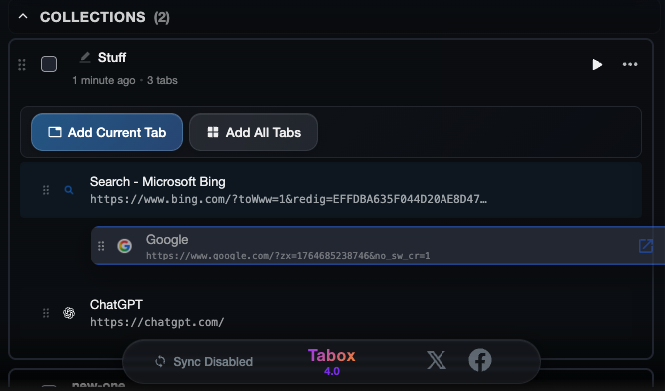
You can now drag and drop tabs to rearrange them, move them between collections or bring them in and out of tab groups. You can even drag entire tab groups as one block. It’s smoother, faster and incredibly flexible.
Sync Debug & Recovery Center
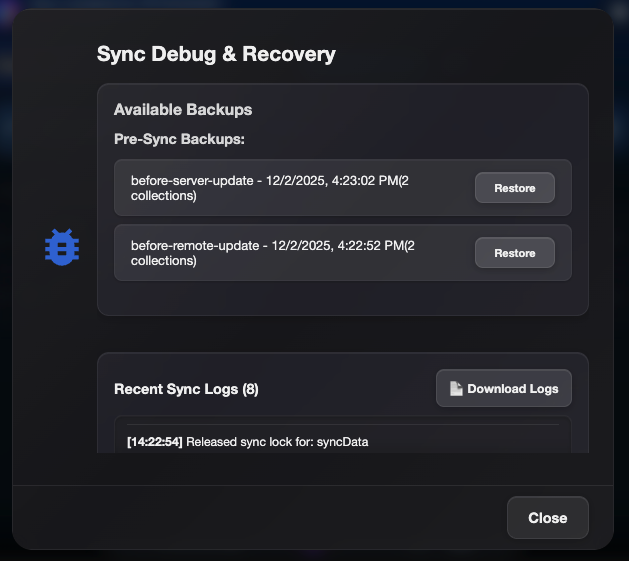
Tabox 4.0 adds a dedicated space for diagnosing sync issues and managing backups.The new Sync Debug & Recovery Center lets you:
Check sync status
Collect logs
Manage automatic backups
Access recovery tools
It’s everything you need to keep Tabox running smoothly.
Smarter Sorting and Filtering
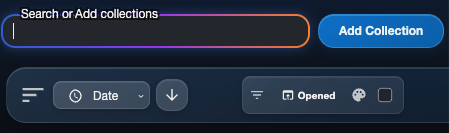
Sort collections by several properties, ascending or descending, and filter them by color or by recently opened collections. Everything is easier to find and organize.
Performance Mode
Running on an older or lower powered device? Enable Performance Mode in the settings to switch to a lighter, more CPU friendly version of Tabox that still keeps all your data intact. It’s ideal for saving battery and reducing resource usage.

Grid View
Choose how you want to browse your collections. The new Grid View gives you a visual, compact layout that makes better use of space and reduces scrolling.
Under the Hood: A Faster, Leaner Tabox
Tabox 4.0 also includes a long list of infrastructure upgrades that make the extension more reliable and more secure:
Migrated the codebase to React 19
New drag and drop architecture powered by @dnd-kit
Updated all dependencies to their latest versions
Reduced bundle size and optimized resource use in Chrome
These improvements result in a faster and more stable experience, especially with large collections or heavy workloads.
Start Using Tabox 4.0 Today
Tabox 4.0 will be rolling out to all users over the next couple of weeks via automatic update and to new users through the Chrome Web Store. This update is designed to help you work faster, stay organized and manage complex browser sessions with ease.
If you’re already a Tabox user, the upgrade will feel familiar but noticeably more powerful. If you’re new, there’s never been a better time to start.
Tame your tabs with Tabox. Free forever.


Keep reading
- How to Save Pinned Tabs Without Losing Context: Learn how to save pinned tabs as organized project sessions, then reopen them on demand without cluttering your browser...
- Manual Bookmarks or Tab Savers: Which Works?: Manual bookmarks or tab savers solve different browser problems. Learn which fits saved references, active projects, and...
- Bookmarks vs Saved Sessions - Which Is Better?: Bookmarks vs saved sessions: see which method keeps projects organized, restores tab groups quickly, and makes browser...